WordPress Launches Browser-Based Platform for Personal Digital Creation
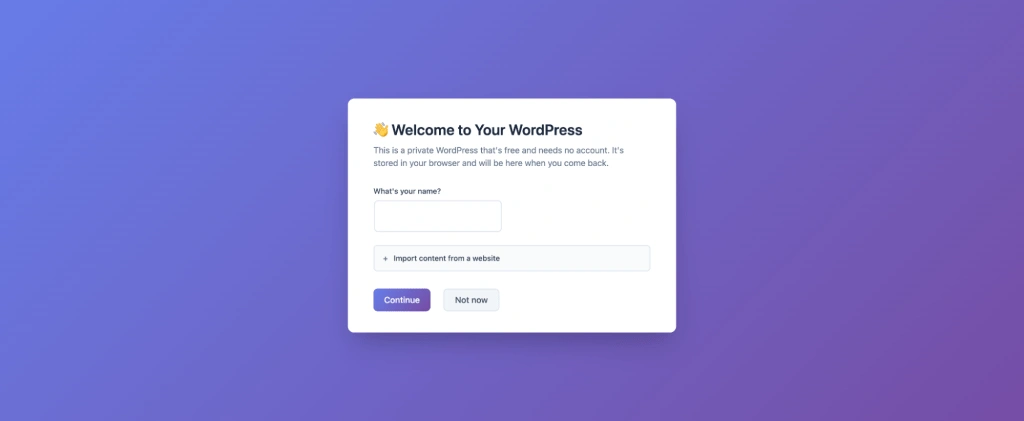
WordPress has announced the launch of my.WordPress.net, a new platform that enables users to run the popular content management system entirely within their web browser without requiring sign-up, hosting, or domain configuration.
The new platform represents a significant evolution in how users can access and utilize WordPress. Unlike traditional WordPress installations that require users to select a hosting provider, configure settings, and make decisions about domain names before beginning, my.WordPress.net removes these barriers entirely by operating directly in the browser.
“This takes WordPress from being framed as something that is democratizing publishing to democratizing digital sovereignty,” said Alex Kirk, quoted in the announcement.
How It Works
my.WordPress.net is built on WordPress Playground, the same technology that powers WordPress’s instant demonstration environments. However, this platform transforms those temporary demos into permanent, personal installations that users can return to and develop over time.
When users access my.WordPress.net, they enter a complete WordPress environment that runs entirely in their browser. All data remains local to the device and is not uploaded to external servers. Each device maintains its own separate installation, and users are encouraged to download backups regularly to preserve their work.
The platform is designed for personal use rather than public web publishing. Sites created through my.WordPress.net are private by default and not accessible from the public internet, allowing users to experiment, draft, organize ideas, and build without the pressure of creating content for an audience.
App Catalog Features
The platform includes an App Catalog offering pre-configured experiences designed specifically for personal use. These applications are built using WordPress plugins and install with a single click.
One such application is a Personal CRM, which functions as a private relationship manager helping users stay connected with important contacts. The application allows grouping of contacts, enrichment with personal details, and pairing with reminders to reconnect. It can also analyze communication patterns using imported chat data, with all information stored locally.
A Personal RSS Reader utilizes the Friends plugin to transform WordPress into a feed aggregation tool. Users can follow websites and creators directly within their own WordPress installation, reading content at their own pace without algorithmic sorting or engagement pressure.
The AI Workspace and Knowledge Base leverages WordPress Playground’s capabilities to allow an AI assistant to modify the installation. Users can request modifications to plugins, create new ones with specific features, or query their stored data. The assistant maintains awareness of changes made and facilitates sharing those modifications with others.
Technical Considerations
Storage begins at approximately 100 MB for new installations. The initial launch takes longer than subsequent visits because WordPress must download and initialize within the browser. Users should note that backups must be downloaded manually, as the platform does not automatically store data externally.
This approach updates the spirit of WordPress’s famous five-minute installation for a modern browser-first web environment, according to the announcement. The platform aims to provide a commitment-free way to explore, learn, and build with WordPress, whether for long-term personal projects or as a testing ground that may eventually migrate elsewhere.
WordPress has historically grown through experimentation, with users trying features, discovering limitations, and finding new ways to use the platform. my.WordPress.net continues this tradition by lowering barriers to experimentation and personalizing the creative process.
Users can access my.WordPress.net directly to begin creating and exploring. More information about the underlying WordPress Playground technology is available at WordPress.org/playground, and community discussions take place in the #meta-playground channel on WordPress Slack.
Source: https://wordpress.org/news/2026/03/announcing-my-wordpress/
